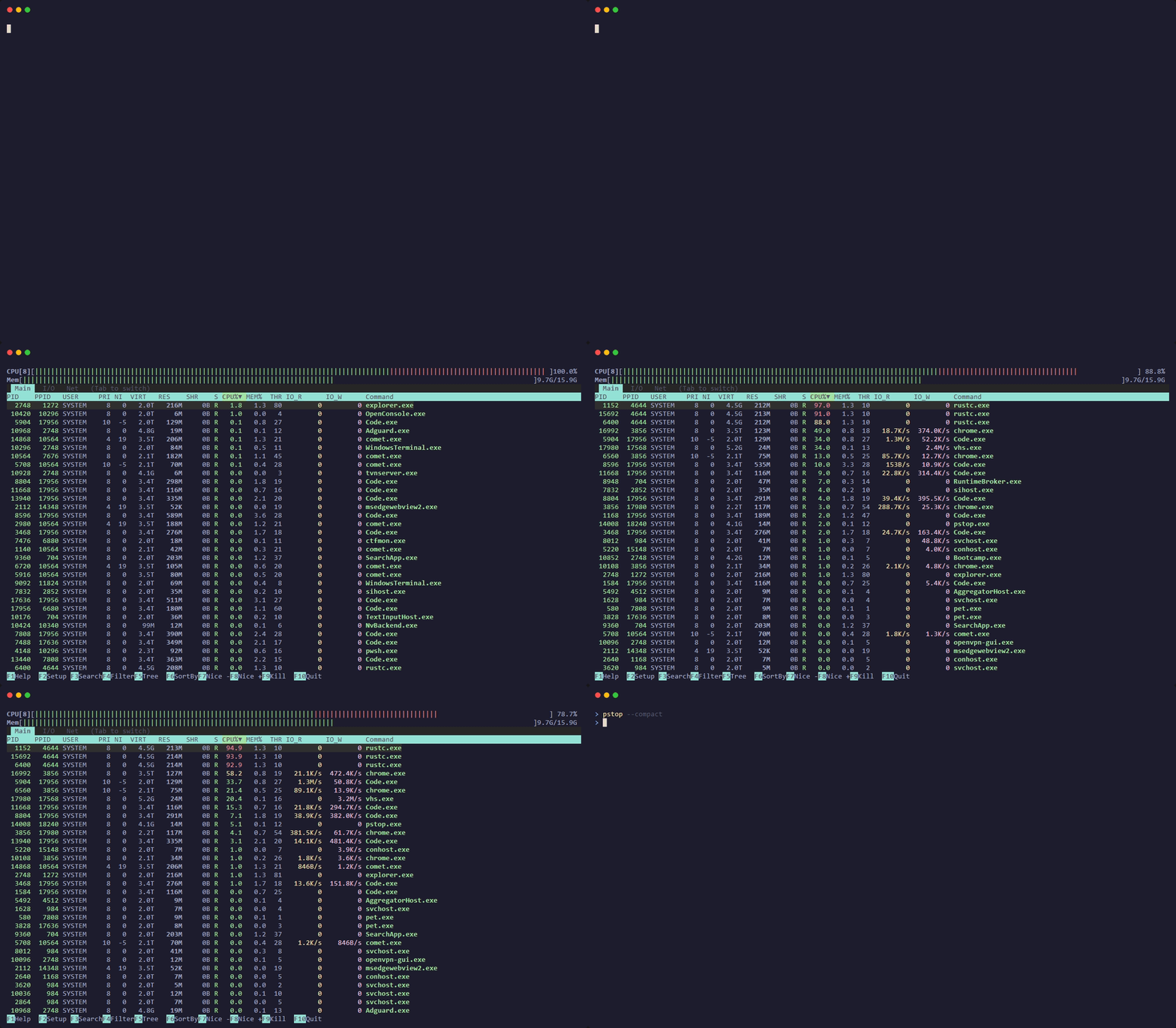
Beautiful, fast, real-time system monitor for Windows.
Per-core CPU, memory, network, tree view, 7 color schemes.
One command to install. Zero dependencies.
No WSL. No Cygwin. No compromises. Just type pstop in any Windows terminal.
Runs directly in PowerShell, cmd, or Windows Terminal. No Linux subsystem required. Pure Win32 API calls for maximum performance.
Single executable, zero runtime dependencies. Built with Rust, optimized with LTO + strip. Downloads and runs in seconds.
Same keybindings as htop — F1-F10, tree view, search, filter, kill, sort. If you know htop, you already know pstop.
Full htop parity with Windows-native enhancements.
Real-time usage bars for every logical core, color-coded by user / system / virtual time — exactly like htop.
Live memory bar (used/buffers/cached), swap usage with thresholds, and real-time network RX/TX throughput in the header.
Toggle with F5 — see parent-child relationships with tree connectors. Collapsible nodes with +/- navigation.
F3 for incremental search that jumps to matches. F4 for live filter that hides non-matching processes in real-time.
Main view (CPU%, MEM%, threads), I/O view (disk read/write rates), and Network view (per-process network I/O).
Full configuration: Meters, Display Options (14 toggles), Color Schemes (7 built-in), and Column management — all with live preview.
Click to select processes, click headers to sort, scroll wheel navigation, click F-key bar and tab buttons.
All settings auto-save to %APPDATA%/pstop/pstoprc. Color scheme, display options, columns, sort preference — everything persists.
Default, Monochrome, Black Night, Light Terminal, Midnight Commander, Black on White, Dark Vivid — switch live in F2 > Colors.
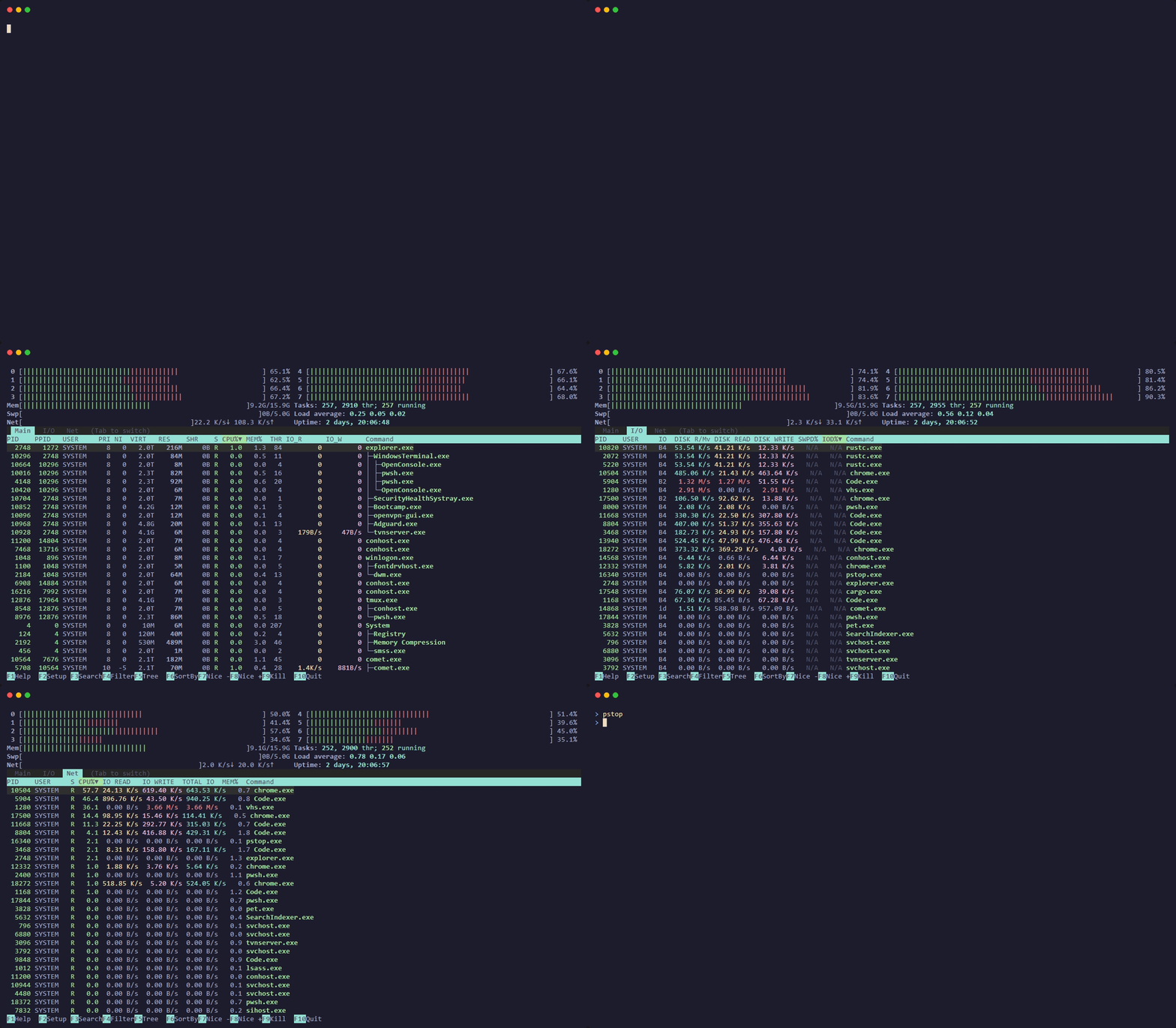
Run pstop --compact for a condensed view that maximizes your process list.
See how pstop stacks up against Task Manager and other tools.
| Feature | pstop | Task Manager | Get-Process |
|---|---|---|---|
| Real-time CPU per-core bars | ✅ | ❌ | ❌ |
| Memory / Swap / Network bars | ✅ | Partial | ❌ |
| Tree view (process hierarchy) | ✅ | ❌ | ❌ |
| Search & filter processes | ✅ | Basic | ❌ |
| Kill / change priority | ✅ | ✅ | Manual |
| Mouse support | ✅ | ✅ | ❌ |
| 7 color schemes | ✅ | ❌ | ❌ |
| Keyboard-driven | ✅ | ❌ | ✅ |
| Runs in terminal | ✅ | ❌ | ✅ |
| ~1 MB, zero dependencies | ✅ | N/A | N/A |
Familiar htop keybindings — zero learning curve.
Switch instantly with F2 > Colors. All schemes affect every UI element with live preview.
Classic htop green/cyan on black
Pure white on black
Muted tones for dark terminals
Optimized for light backgrounds
Blue background, MC-inspired
Clean light theme
High-contrast neon colors
Built in Rust with native Win32 API calls. No Electron, no bloat.
One command. That's all it takes.
Don't have Rust? Install it in seconds → rustup.rs